The options
Checked November 2026. Prices per month for one business.
| From | Connects to | Who builds it | Does it come to you? | How current | |
|---|---|---|---|---|---|
| Xero's dashboard | In your Xero plan | Xero | You choose the charts | No. You open Xero. | Bank lines from your feeds, the rest as you enter it |
| Databox | US$399, billed yearly | Xero, Google Sheets and many more. MYOB and Business Central not listed. | You build it | A picture or PDF of the dashboard, by email on a schedule | Set by plan. 15-minute sync is an add-on. |
| Looker Studio | Free, plus a third-party Xero connector, most of them paid | Google's tools, Xero through a connector | You build it | A PDF of the report by email, daily, or hourly with Pro | When the connector syncs |
| Fathom | A$73 | Xero, MYOB AccountRight, QuickBooks | You or your accountant | A link to log in, not the report | Daily from Xero. The current month on Pro. |
| StoriBot | Free for one job, then from A$29 incl. GST | Xero, MYOB Business, Business Central | StoriBot writes it | Yes. The figures and what changed, in the email itself | As at the morning it runs |
Databox prices in US dollars. Fathom's page does not say if GST is included.
Where StoriBot fits
A dashboard is live. StoriBot's figures are as at the morning it runs. If you want to look at any time, click into a chart, or put the numbers on a screen in the office, a dashboard does that and StoriBot does not.
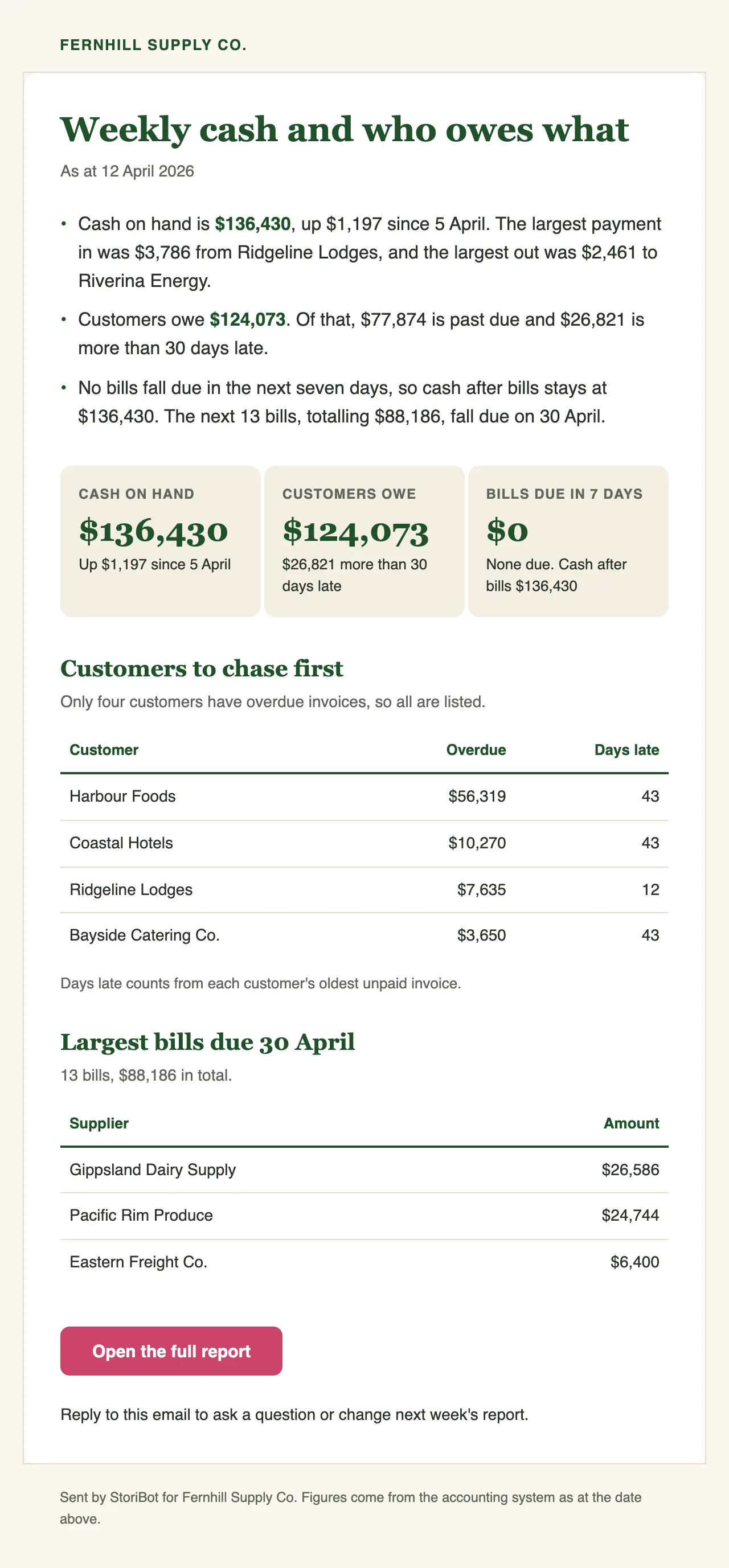
What StoriBot adds is the write-up. A chart shows that cash fell. The Monday email gives the number, names the customers who owe the most and how late they are, and lists the bills due this week. Reply "list Harbour Foods' unpaid invoices" and the answer comes back by email.
Send it to the people who need it, up to 50 of them. Each one reads the same figures without logging in to anything. The full report is a page in your workspace, and the monthly report adds a chart of cash.