The tools, side by side
Checked November 2026. One business, per month, Australian dollars, as each vendor shows the price.
| From | Connects to | Who does the work | How the report reaches you | |
|---|---|---|---|---|
| Fathom | A$73 | Xero, MYOB AccountRight, QuickBooks | You or your accountant build it in Fathom. | You log in. A scheduled email sends a link, not the report. PDF download. |
| Calxa | A$264 incl. GST | Xero, MYOB, QuickBooks. Business Central on the Enterprise plan, A$1,980. | You or your accountant build it in Calxa. | A workflow emails the pack as a PDF or Excel file, weekly or monthly. |
| Spotlight Reporting | A$75 + GST | Xero, QuickBooks, MYOB AccountRight Plus | You or your accountant build it in Spotlight. | You log in. PDF and Excel export. |
| Xero's own reports | In your Xero plan | Xero | You run each report. | You send the PDF yourself. |
| StoriBot | Free, then from A$29 incl. GST | Xero, MYOB Business, Business Central | StoriBot writes it. You check it and reply. | The figures and a short summary are in the email. A link opens the full report. |
Calxa shows its price with GST and Spotlight without. Fathom's page does not say.
Where StoriBot fits
Two jobs read the same connection. The free plan runs one; running both needs Plus.
Every Monday at 7am: weekly cash and who owes what. Your cash now and how it moved since last week, the five customers to chase first, and the bills due this week.
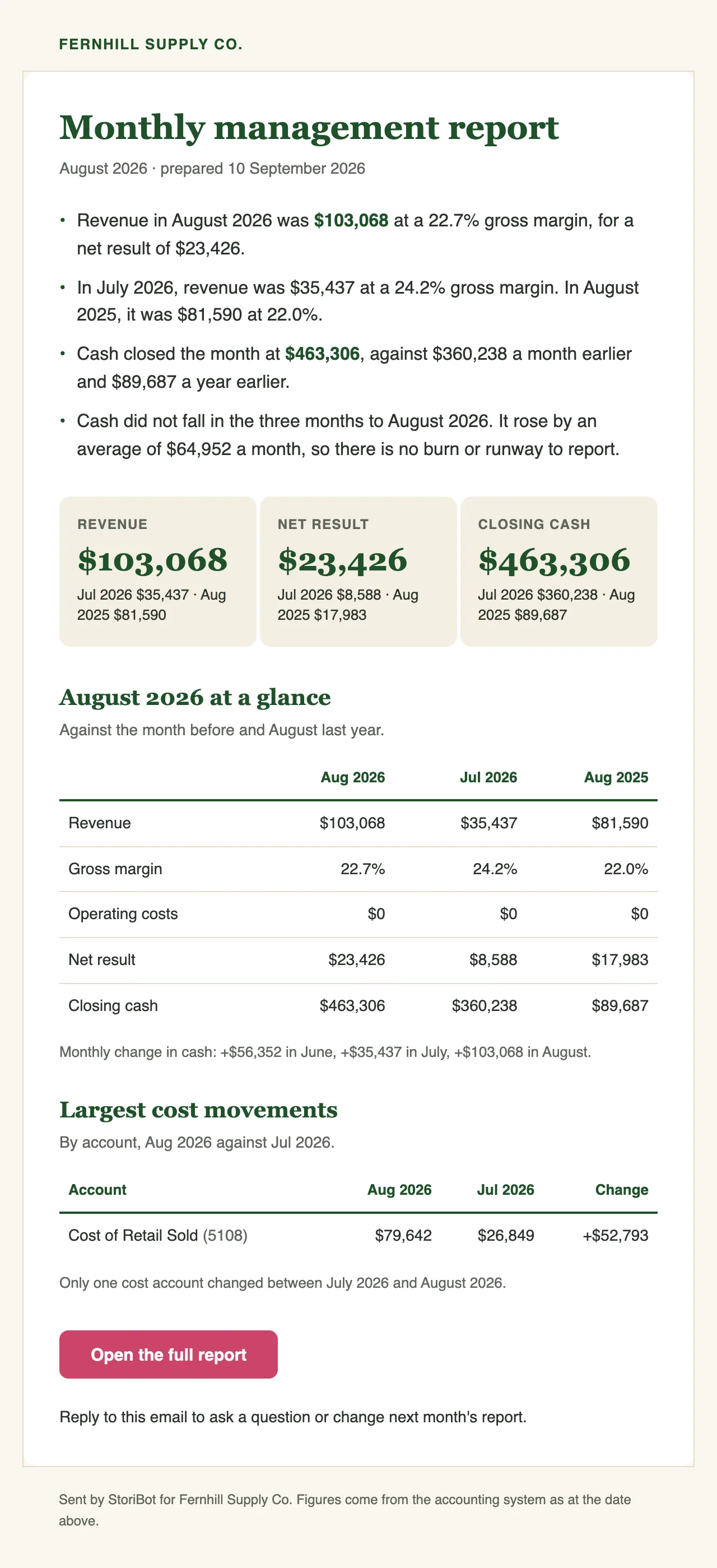
On the 10th of each month: the management report. Revenue, margin, costs and cash against last month and the same month last year. It compares against your budget, from Xero or from a spreadsheet you add to the workspace. If cash is falling, it says how many months are left at that rate. If the month is not yet closed, it says which figures may change.
The figures are in the email itself, so you can read them on your phone. Reply with a question and StoriBot answers from your books. Reply with a change, such as a cost you want watched, and the next report follows it.
Add up to 50 people to the email, such as your partner or your accountant. The full report is a page in your workspace. To show it to your board or anyone else, make a link: public, behind an access code, or for people in your organisation only. A link shows the report as it was when you made it. Refresh the link when the next report arrives. People who only view do not pay.