StoriBot turns your market data and house style into an interactive commodity research report — a chart-led deep-dive with every hard number traced back to a source file, drafted in your own voice. Below is the whole build, one screen at a time. From a blank workspace to a shareable link takes about twenty-five minutes.
Why StoriBot for commodity research
- On-brand, on-message. Customise StoriBot with your brand guidelines and house voice so every report reads like yours. The AI narrates; your data computes the numbers, not the model.
- Add any research inputs. Price histories, supply-demand balances, trade flows, official forecasts from the IEA or World Bank — any file your research process already uses can be uploaded and cited.
- Always current. Edit and refresh the same link as forecasts update — no re-export, no v2 floating around.
AWS Sydney · No training on your data · Lineage on every output
Home page
This is your StoriBot home page. It lists every stori you've built so far. To begin a new one, click New Stori.
Choose a template
After clicking New Stori, you'll see the template gallery. For this build, choose Commodity research.
Upload your data
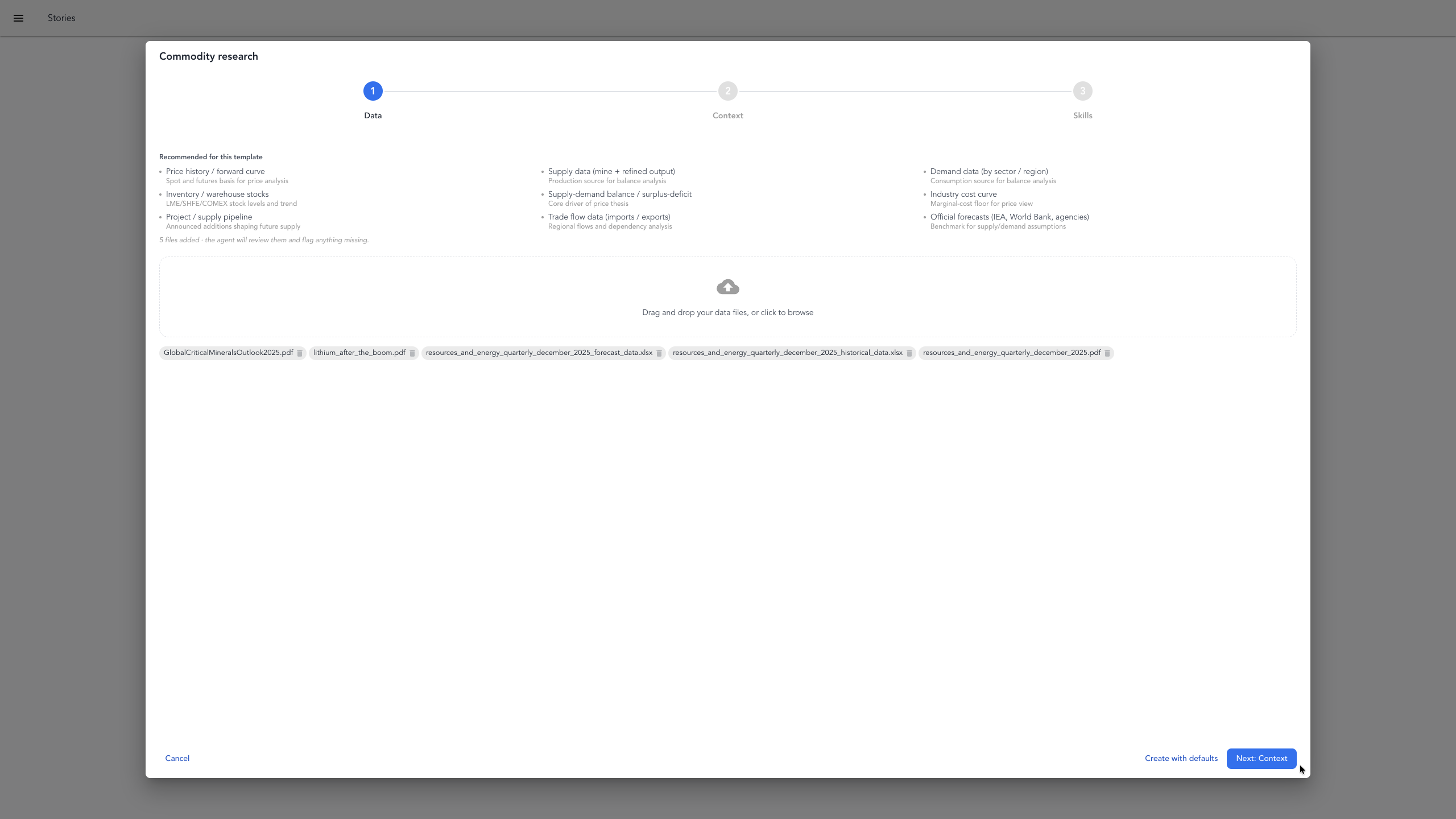
First, upload your data files — price history, supply-demand balances, trade flow data and official forecasts (IEA, World Bank, whichever agencies you already rely on). These become the source of truth for every hard number and claim in the report — if the report states a figure, it traces back to one of these. When your files are in, click Next to continue.
Add supporting context
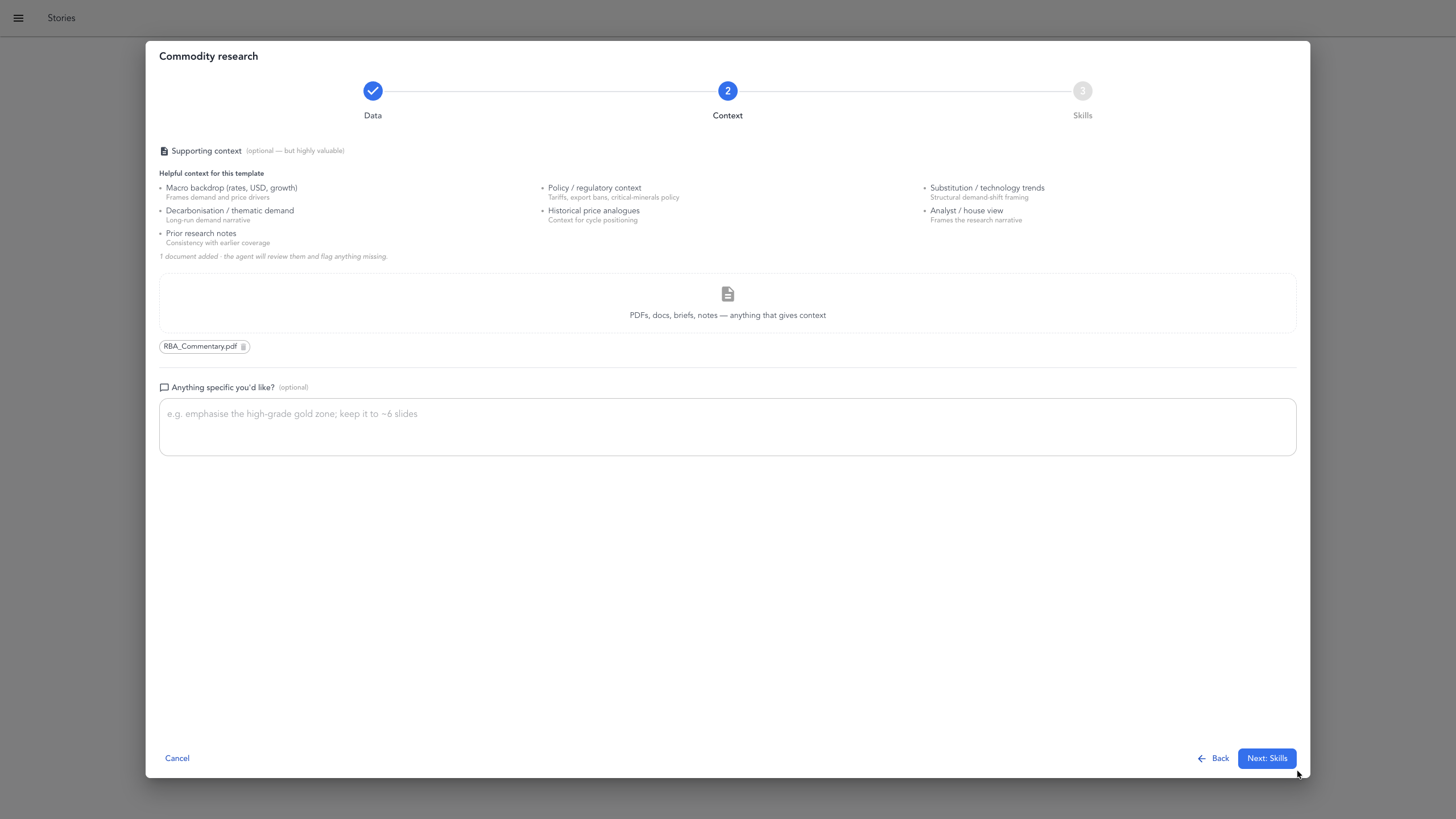
Next, add supporting context. This is the material that might help shape the narrative or provide an example to follow — here, we've uploaded some RBA commentary for macro background. You can also add your own prompt or anything else that might steer the output towards what you have in mind. Everything in this step is optional. Once these are attached, click Next to continue.
Choose skills
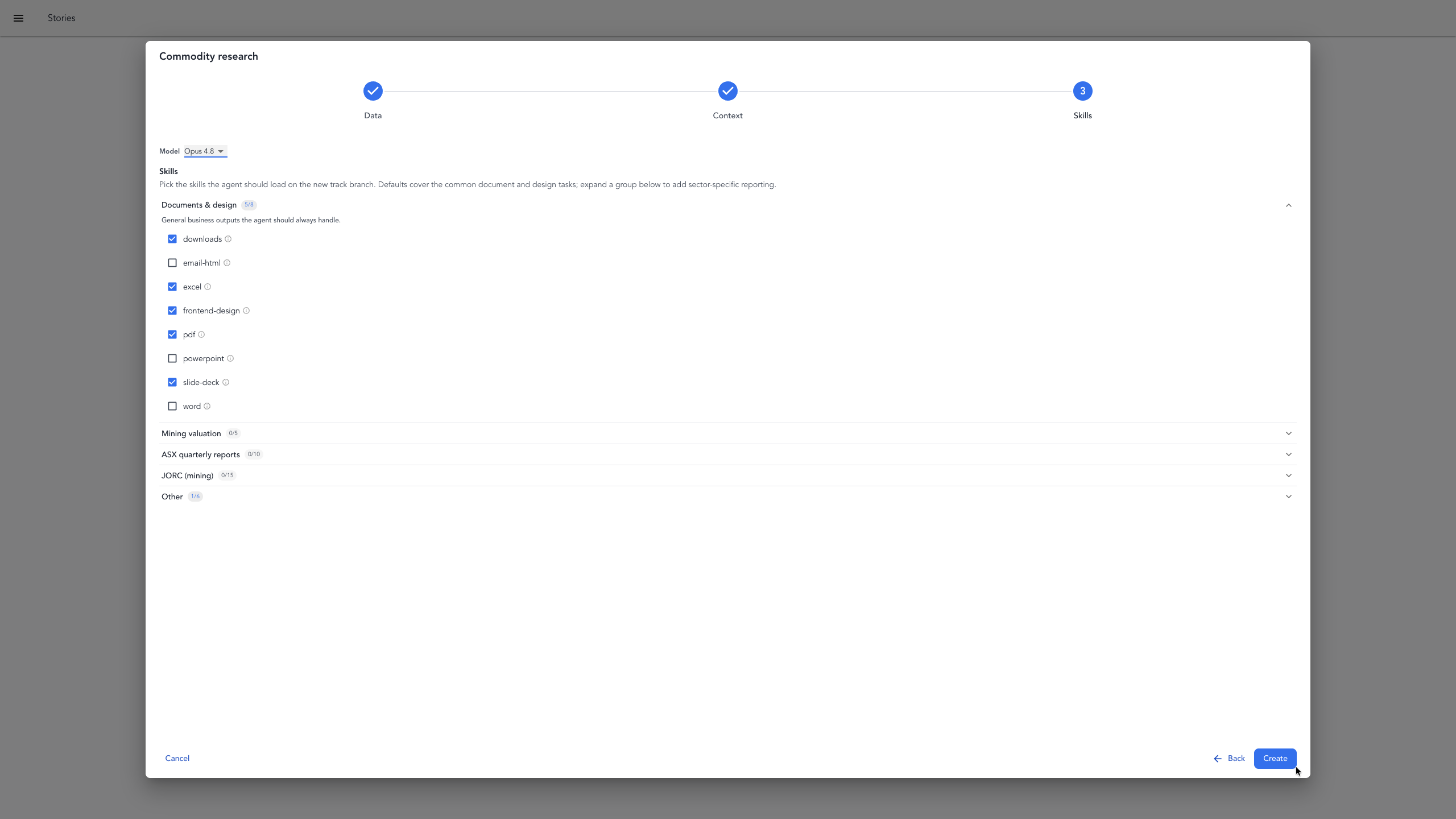
This is the skills screen. You can review and add any additional skills you think might be useful, but for this and any other template, you can leave the defaults as they are — the selection is already tailored to the research report. Click Next to continue.
Launch the workspace

After you click Create, StoriBot opens your workspace. It takes a minute or so to spin up. The benefit is you get an entire workspace, which significantly extends what you can do with StoriBot. Once the workspace is ready, the agent will start building your report automatically.
The agent starts
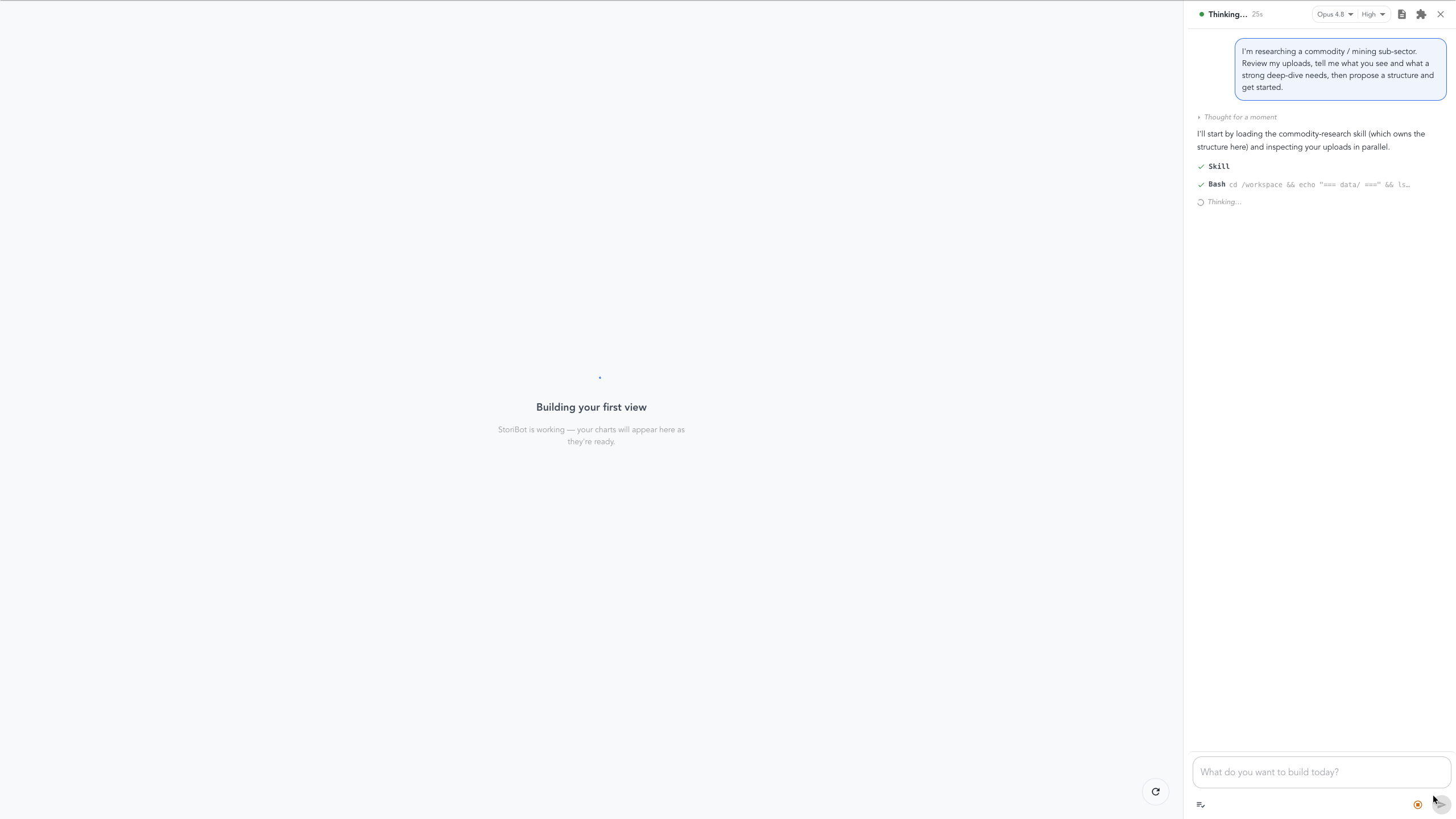
When you start from a template, like in this case, StoriBot begins building the report automatically from your data and context. You can refine the output at any time by typing additional instructions in the agent sidebar.
Answer the agent's questions
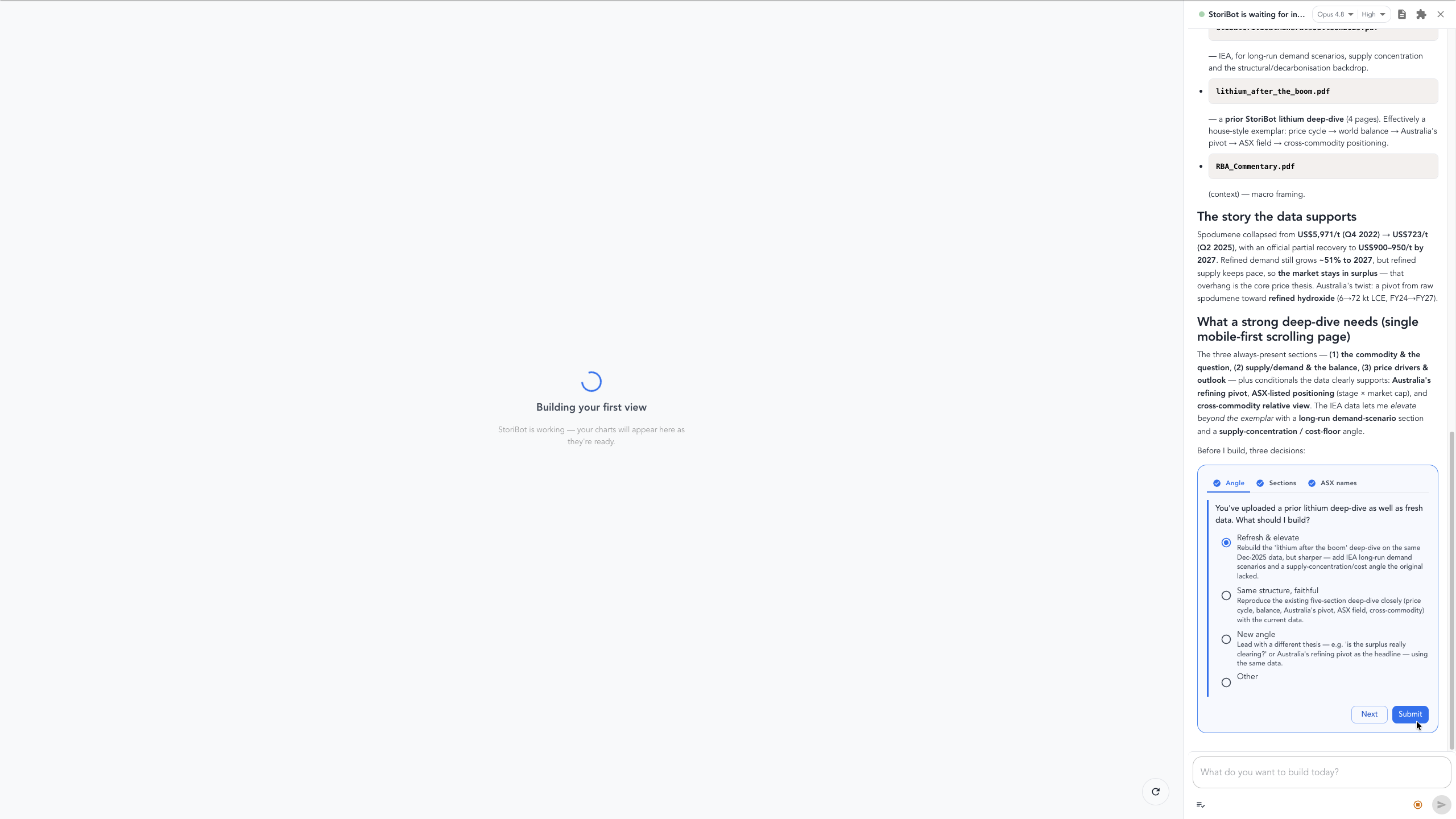
The agent may ask a question or two to tailor the report — which commodity should anchor the deep-dive, which ASX names to cover, which format to build — or anything else it needs clarified. Make your choices and click through — you can refine anything further once the first draft is done.
First draft and review
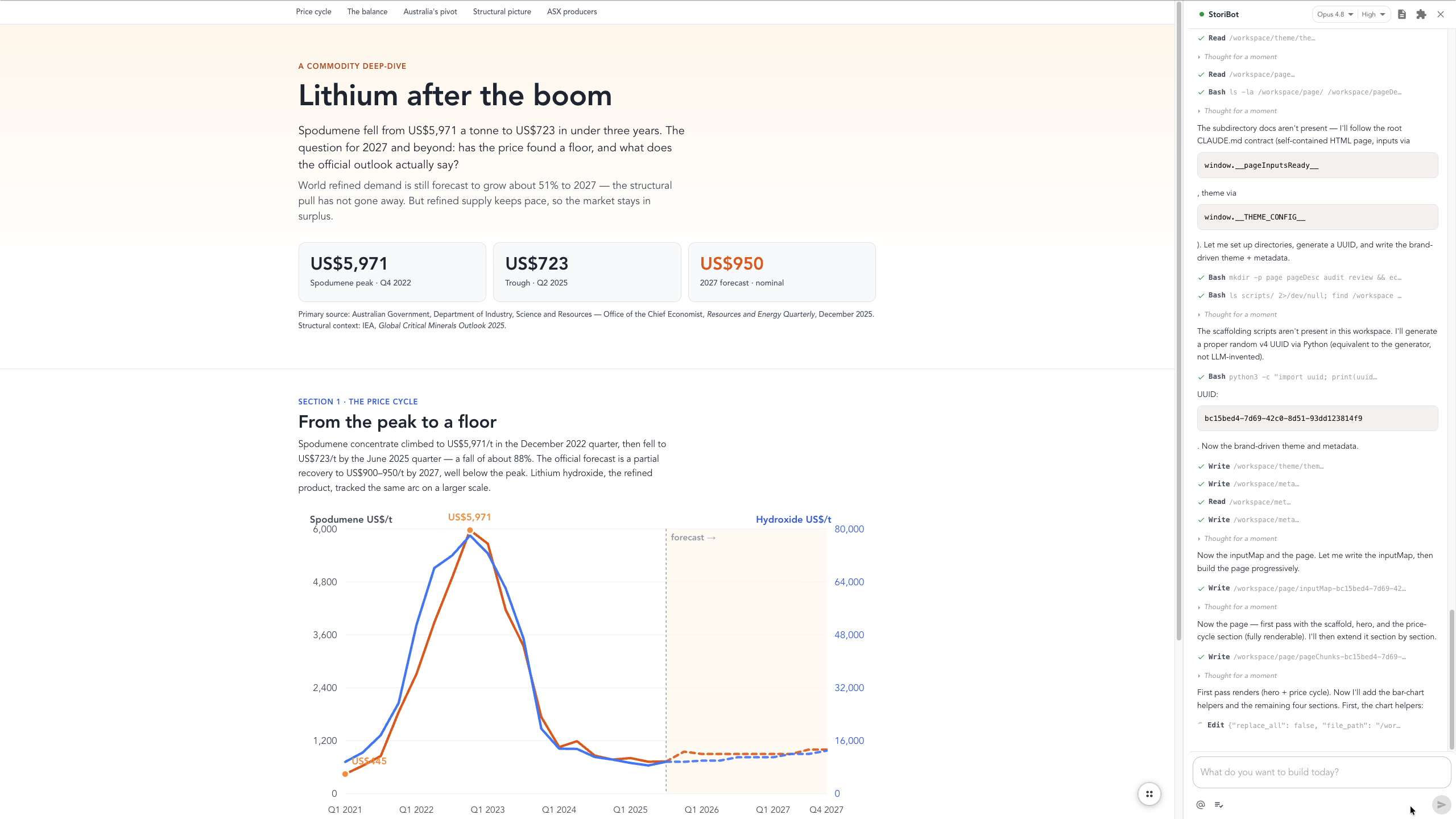
When the first draft lands, the agent spawns a reviewer to check the build end to end. You don't have to wait for it — view, edit, or request changes while the review runs in the background. Simply type any changes you want into the agent sidebar and the agent will rebuild the report for you.
Preview the stori and its slides
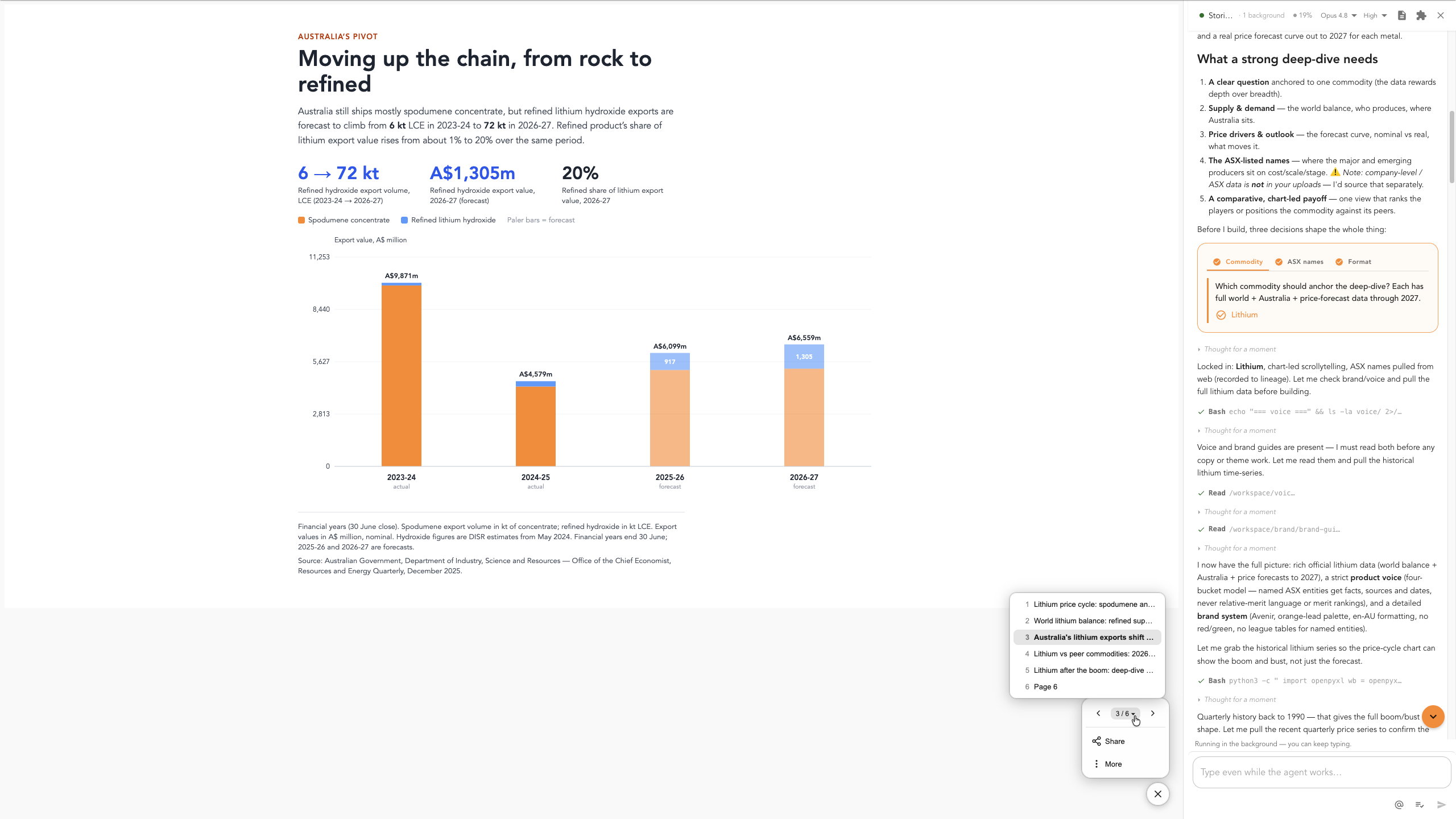
To move between the report's slides, use your arrow keys or click the sub-menu in the bottom-left corner.
Edit the words and numbers
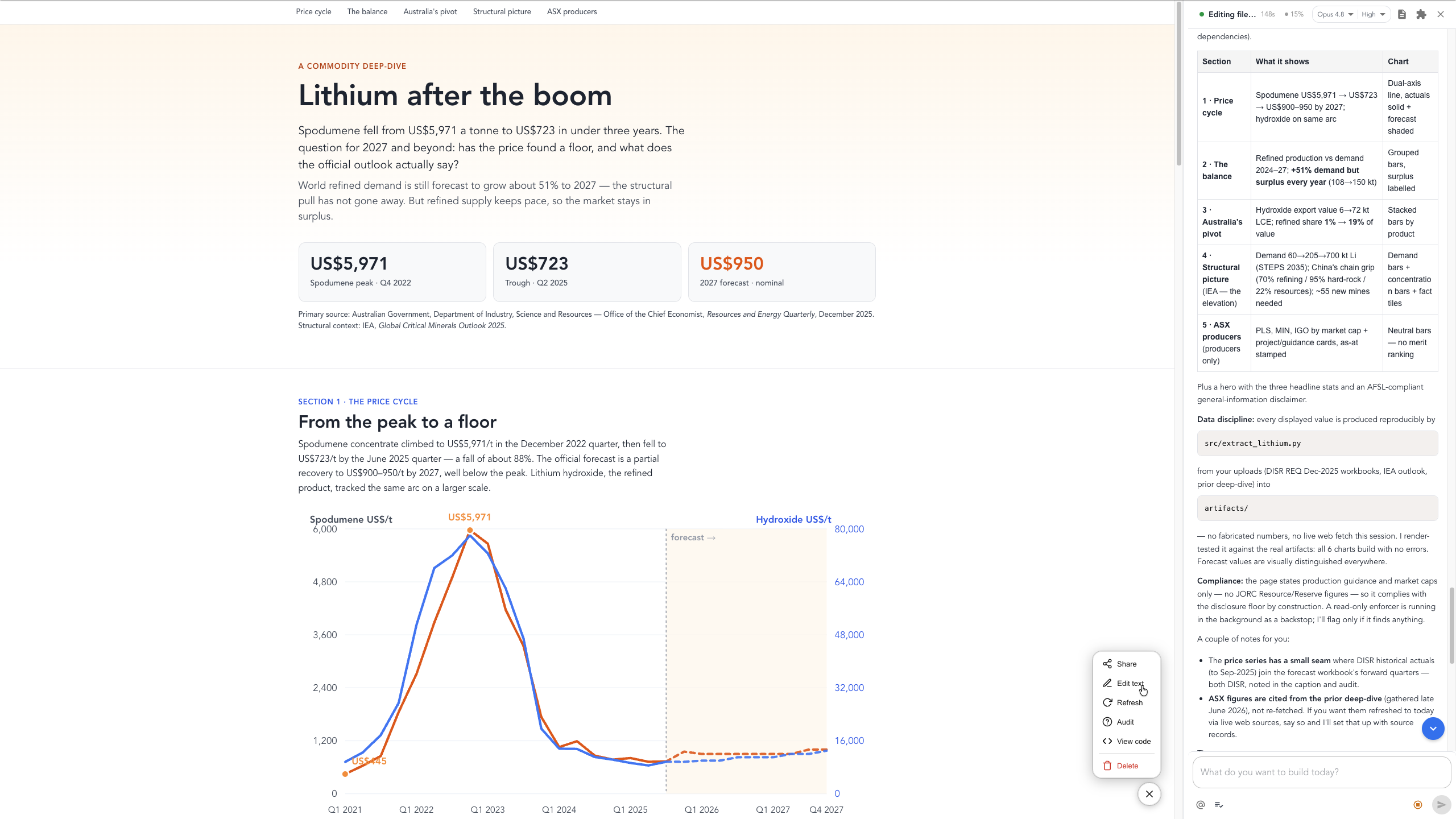
For specific wording changes within the report, open Edit text in the sub-menu. You can then click any word or number directly and change it in place.
Make broader changes
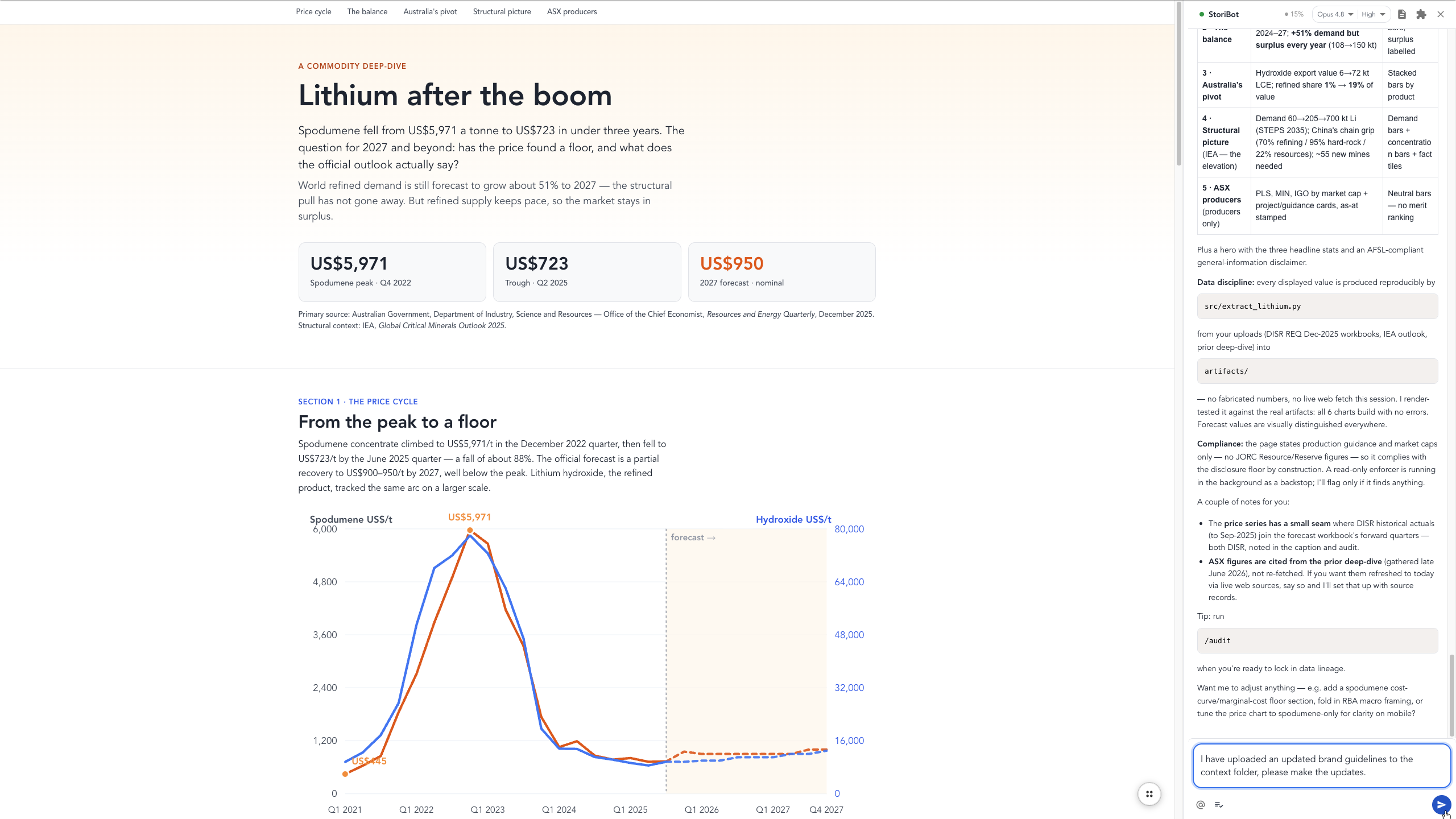
For bigger changes — repositioning sections, adding or removing elements, or changing any chart or data graphic — describe what you want in plain English in the agent sidebar, like the example shown here.
Share the stori
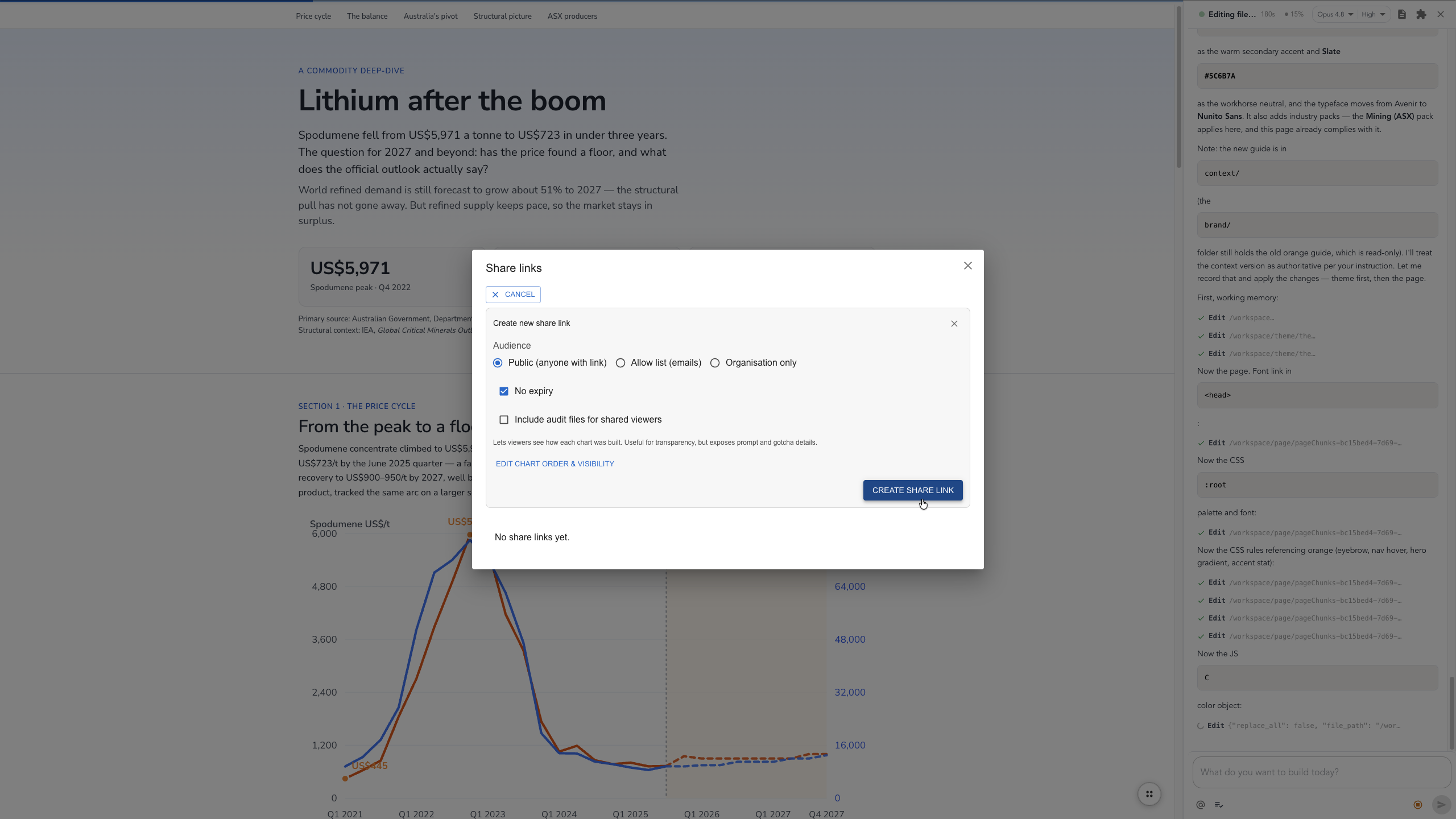
Once you're happy with the final product, open the sub-menu in the bottom-left corner, select Share, click Create share link, and choose your preferences. The link is copied to your clipboard, ready to send.
Or export to PDF
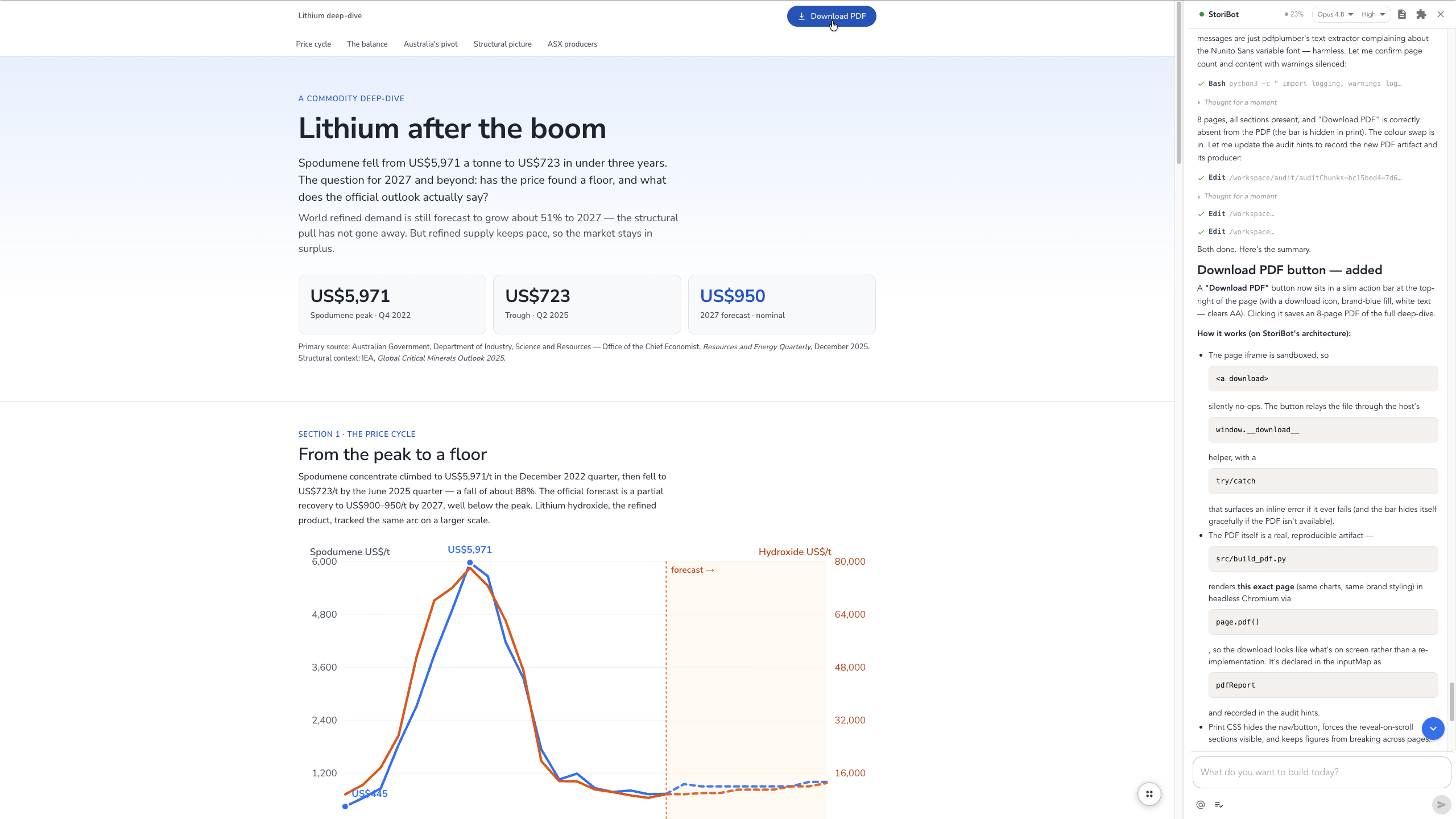
Want the report in another format, such as a PDF? Just ask the agent in the sidebar — tell it to prepare the file and give you a download button, and it does the rest.
Your turn
That's the full build: market data in, interactive commodity research report out, every number traced to source. Build your own at app.stori.bot.