Every stori is an interactive web page — more dynamic and data-rich than a PDF or a PowerPoint file — and you share it as a link, with full control over who can open it. Here's the whole flow, one screen at a time.
Why share a link, not a file
- Any device, any time. Web pages automatically adjust to the device's size and aspect ratio — the same stori works on a phone in the lift and a boardroom screen.
- No messy versions, one link. One link per stori, refreshed after any change. No file bouncing back and forth with changing version names.
- Easy comment system. Choose whether viewers can leave comments, and resolve them with the agent — see How to comment on a stori.
AWS Sydney · No training on your data · Lineage on every output
Open Share inside the stori

Inside any stori, open the sub-menu in the bottom-right corner and click Share.
Create the link and set its privacy
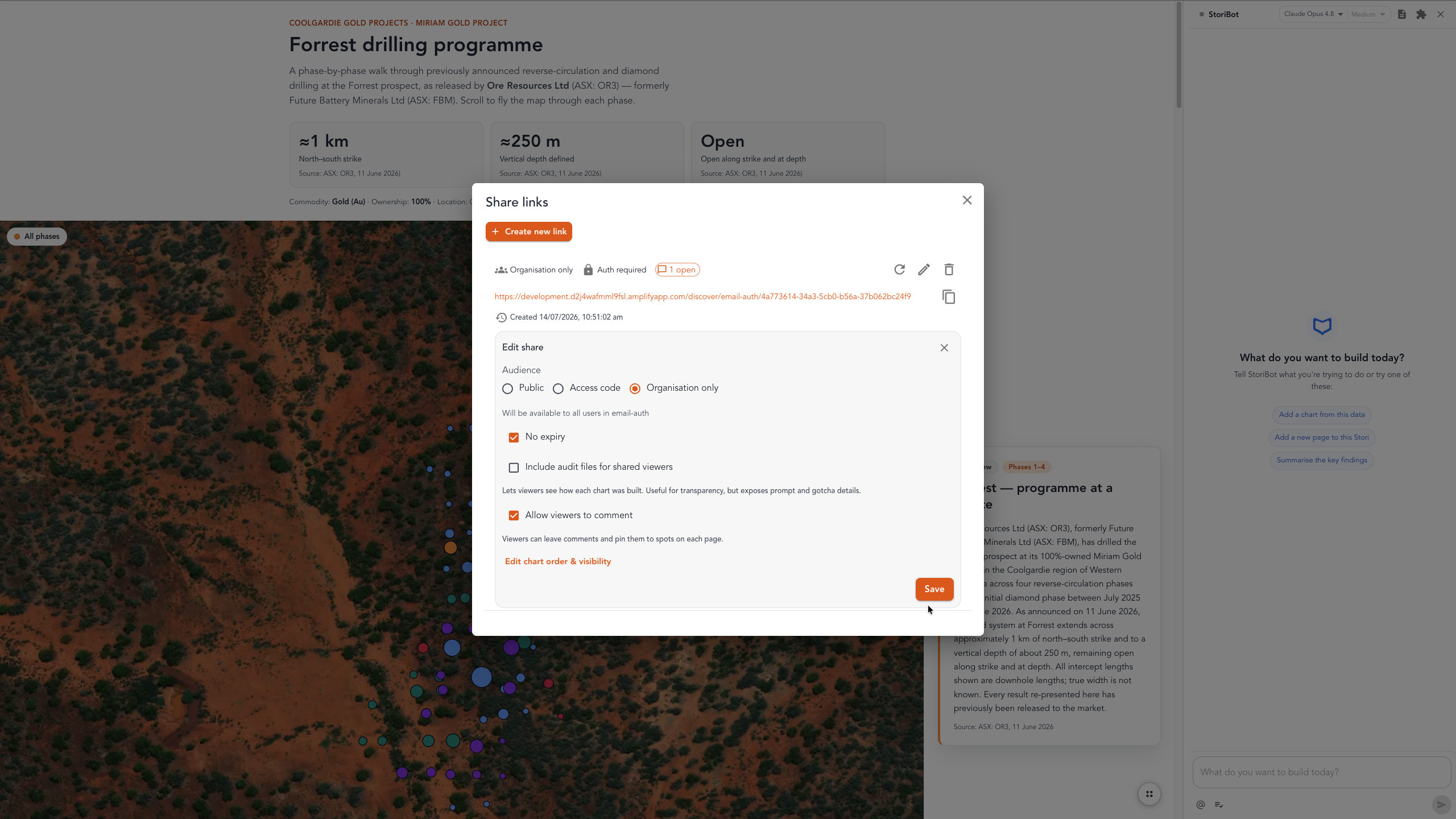
Click Create new link, or edit an existing one. This is where you choose the privacy and security for the link:
- Public — anyone with the link can view the page.
- Allow list — generates a secure access code for the people you nominate.
- Organisation only — restricted to accounts you've invited in your Team settings.
You can also set an expiry, include audit files for shared viewers, and choose whether viewers can leave comments. Save, and the link is ready to send — after any future edit, the same link simply shows the updated stori.
Your turn
That's it — one link, your rules, always the latest version. Share yours at app.stori.bot.